
21 June 2026 Leave a comment Development, Test automation
Over the last eight months, my personal software development workflow has changed more than in many years before. I have been writing software for about 25 years now, across many programming languages, countless frameworks, web development, mobile app development, and more recently mostly JavaScript, TypeScript, Node.js, Kotlin, and Swift.
So I have seen quite a few productivity waves come and go. But working with modern AI coding agents feels different. Not because they magically replace developers, but because they change the structure of how software can be built.
From Assistant to Agent
The first time AI coding became truly productive for me was around GPT-5.2, and even more so with GPT-5.3, around November 2025. Before that, I could already use AI for smaller tasks, but the experience was still limited. It often felt like working with a brilliant but forgetful intern.
Small tasks were completed quickly and often very well. But larger tasks, especially the ones that required several iterations, back-and-forth corrections, and a deeper understanding of the surrounding system, regularly ran into problems. The main limitation was context length. Once important details were pushed out of the context window, the AI would simply forget them. That made longer development sessions fragile.
This has improved a lot. Since late 2025, I have increasingly moved toward letting AI agents work more independently. And I am not the only one observing this shift: developers are needing to “hold the AI’s hand” less and less.
But there is still one area where AI agents are weak: testing graphical user interfaces.
Why I Moved More Logic to the Command Line
Modern coding agents are surprisingly good at reading code, modifying code, running tests, fixing errors, and repeating this loop. But they are still relatively bad at understanding and testing graphical user interfaces in a reliable way.
Because of that, I started designing new features so they can first be executed from the command line.
For smaller pieces of functionality, this can simply mean a unit test. For larger features, it can mean building a small client or standalone command-line program that exercises the new functionality before it is integrated into the real UI.
This has become one of the most important changes in my workflow:
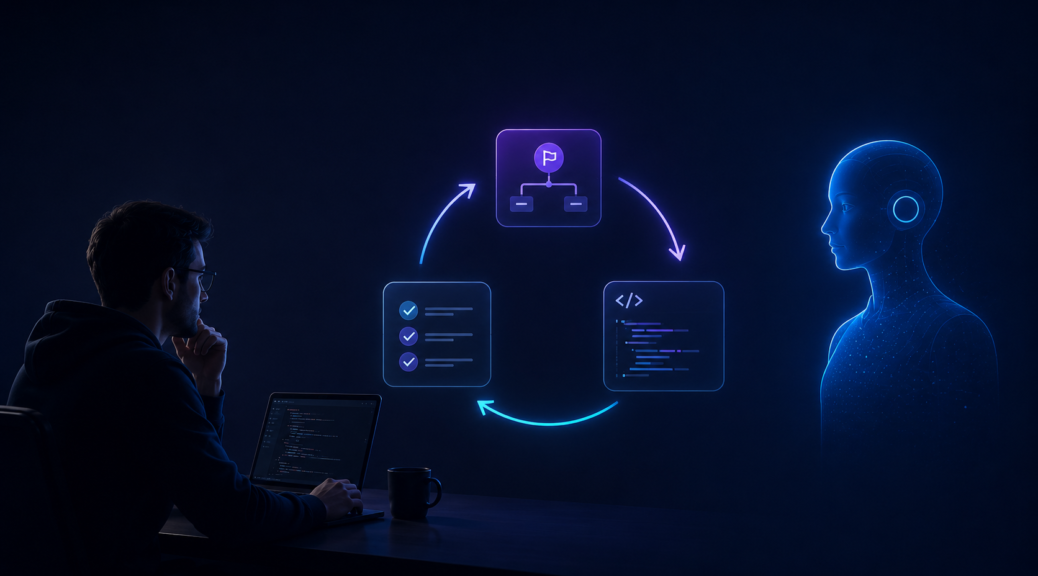
- First, plan the feature in a Markdown file.
- Then create a test client or unit test that can be executed by the agent.
- Then define meaningful test cases.
- Only after that, let the agent implement the actual feature.
This gives the agent something it can reliably do: run a command, inspect the result, change the code, and run the command again.
Sometimes I Temporarily Merge Project Contexts
Some features require changes in multiple repositories, for example when a client-side change and a server-side change need to work together.
In those cases, I have sometimes temporarily placed one repository inside another while working intensively on that feature. The goal was simple: give GitHub Copilot or another coding agent access to both projects at the same time.
This is not meant as a permanent architecture decision. It is a temporary working setup. But when doing this, documentation becomes very important. I found it helpful to describe the temporary project nesting clearly in an AGENTS.md file, including which project is responsible for what.
That way, the agent has a better chance of understanding the structure instead of making assumptions.
The Most Important Human Work: Defining Good Tests
The most valuable manual work is not always writing the implementation anymore. Increasingly, it is defining the right test cases.
This is also where you have to be careful.
If you simply tell an agent that all tests must be green, it may optimize very aggressively for that goal. Thankfully, for now, “over dead bodies” is still only a metaphor. But what often happens is this:
- The agent creates tests that technically pass, but do not really test much.
- The agent changes the implementation to handle specific test cases in overly specific ways.
- The source code becomes longer and more complicated because many special cases are treated individually.
In other words: green tests are not enough. The tests themselves need to make sense.
This is why I spend the most attention on reviewing the test cases. Do they actually test the important behavior? Are they general enough? Are they too narrow? Would they catch a real regression? Are they accidentally encouraging the implementation to hard-code a special case?
The tests do not need to be complete from the beginning. They can and should be extended later. But the first important test cases need to have a solid foundation.
Test-Driven Development Becomes More Important Again
Writing tests before implementation is not a new idea. It is the foundation of test-driven development.
But AI agents give TDD a new kind of relevance.
In classic TDD, tests help the developer clarify the goal and avoid regressions. With AI agents, tests do something additional: they create an execution loop that the agent can operate independently.
The agent can:
- Run the tests.
- See what fails.
- Modify the implementation.
- Run the tests again.
- Repeat until the behavior matches the expectations.
This is exactly the kind of feedback loop that current AI agents are good at. They do not need perfect visual understanding. They do not need to click through a UI. They just need a clear command to run and a clear signal that tells them whether the result is correct.
A Real Example: Improving Computer Vision Performance
We recently used this approach in a computer vision framework we built.
We had a larger test dataset and a set of algorithms that could be benchmarked against it. The agent’s task was not vague. It was not “make this better” in a general sense. Instead, the agent could run the tests repeatedly and evaluate potential improvements based on measurable results.
With that setup, the agent was able to significantly improve the performance of our algorithms. In one case, we reduced the runtime by about 50%.
The important part was not that the agent was magically smart. The important part was that we gave it a reliable environment in which it could safely experiment.
What My Current Workflow Looks Like
My current AI-assisted development workflow looks roughly like this:
- Describe the feature in a Markdown file.
Before implementation starts, I write down what the feature should do, what constraints exist, and which parts of the system are involved. - Create a testable command-line entry point.
This can be a unit test, an integration test, or a small standalone client that exercises the new functionality. - Define meaningful test cases manually.
This is the part where human review matters most. The agent can help generate ideas, but I do not blindly trust the result. - Let the agent implement the feature.
Once the goal and the tests are clear, the agent can work much more independently. - Let the agent run tests repeatedly.
The agent can run the test suite, fix failures, and iterate. - Review for overfitting and special-case logic.
Passing tests are not enough. I still review whether the implementation is clean, general, and maintainable.
The Developer’s Role Is Shifting
AI agents are not making software development effortless. They are changing where the effort goes.
Instead of manually writing every line of code, more of my work has shifted toward:
- structuring the problem clearly,
- creating executable feedback loops,
- defining meaningful tests,
- reviewing whether the implementation is actually maintainable,
- and preventing the agent from optimizing for the wrong goal.
In a way, this makes software architecture, test design, and judgment even more important.
The better the environment you create for the agent, the more independently it can work. But if the goal is vague, the tests are weak, or the feedback loop is unreliable, the agent will still produce code that looks convincing while missing the real point.
Conclusion
The biggest lesson from the last months is this: AI agents become much more useful when we stop treating them like autocomplete and start designing our development workflow around their strengths and weaknesses.
They are good at iterating against clear feedback. They are good at running commands, reading errors, modifying code, and trying again. They are still weak at visually testing graphical interfaces and they can be too eager to make tests pass at any cost.
That is why testable command-line entry points, strong test cases, and clear Markdown-based planning have become central to my workflow.
Test-driven development was already useful before AI. But in the age of coding agents, it may become one of the most important ways to let AI work independently without losing control over the result.
