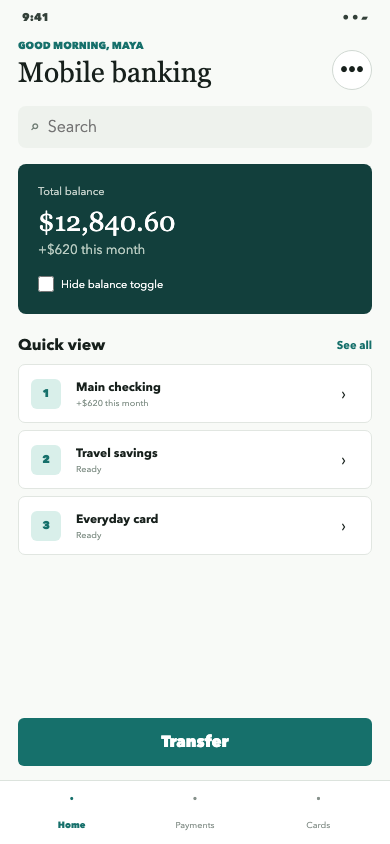
You are evaluating a user interface screenshot for test automation.

Locate the single UI element described below. Return the best click point and the tight visible bounding box of the complete interactive target. Coordinates use a normalized 0 to 1000 grid, where (0, 0) is the top-left image corner and (1000, 1000) is the bottom-right image corner.

Target: the Transfer button

Return only data matching the supplied JSON schema. Do not describe your reasoning.
Blue marks the browser-derived target. Orange marks the model’s returned box and point. Format validity checks only the response contract; it does not mean the requested element was found.